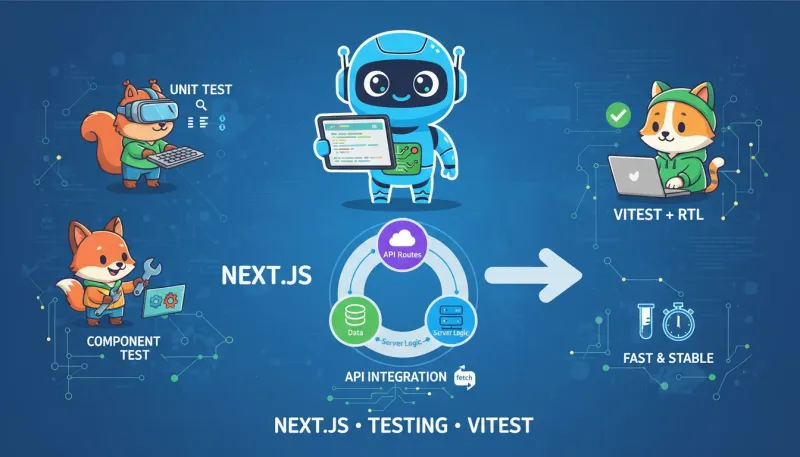
写在前面(学习笔记)
- 我在给 Next.js 全栈项目补测试时的随手笔记,记录选型、踩坑和能跑的最小例子。
- 我的组合:Vitest + React Testing Library + 原生 Request/Response(直接调 app/api 的处理器)。
- 目标不是把理论讲全,而是“照抄就能起步”,再逐步补全。
一句话概览:用 Vitest + React Testing Library + 原生 Fetch API,把工具函数、组件、以及 app/api 路由都各写一两条最小测试,覆盖常见路径,先跑起来再优化。
目录
- 前提与选择
- 安装与基础配置
- 单元测试 1:工具函数(Node 环境)
- 单元测试 2:React 组件(JSDOM 环境)
- 集成测试 1:app/api 路由处理器(原生 Request/Response)
- 集成测试 2:带参数与校验的 API(小型示例)
- 运行与调试、常见问题
前提与选择
- 目标:为 Next.js 全栈项目建立“快速、稳定、可维护”的测试体系。
- 工具选择:
- 单元/组件测试:Vitest(速度快、语法与 Jest 类似)、React Testing Library(更贴近用户行为)。
- 集成测试(API 路由):直接调用 App Router 的
GET/POST处理器,构造原生Request,断言Response。无需额外起服务器。 - 端到端测试(可选):Playwright/Cypress(本文不展开)。
安装与基础配置
我用的是 Next.js 13/14(App Router)。先装依赖:
bash
12
pnpm add -D vitest @testing-library/react @testing-library/jest-dom jsdom @testing-library/user-event
# 或 npm/yarn 按需替换
添加 vitest.config.ts:
ts
1234567891011121314151617
// vitest.config.ts
import { defineConfig } from 'vitest/config';

export default defineConfig({
  test: {
    include: ['src/**/*.{test,spec}.{ts,tsx}'],
    globals: true,
    setupFiles: ['./vitest.setup.ts'],
    environment: 'jsdom',
    environmentMatchGlobs: [
      // 约定 server 目录下使用 Node 环境(测 API/服务端逻辑)
      ['src/**/server/**', 'node'],
      ['src/**/api/**', 'node'],
    ],
    css: false,
  },
});
添加测试初始化文件 vitest.setup.ts:
ts
12
// vitest.setup.ts
import '@testing-library/jest-dom';
建议的源码与测试布局(示例):
plaintext
1234567891011
src/
  lib/
    sum.ts
    sum.test.ts
  components/
    Counter.tsx
    Counter.test.tsx
  api/
    todos/
      route.ts        // app/api/todos/route.ts 的同构示例
      route.test.ts
单元测试 1:工具函数(Node 环境)
实现与测试一个最小的工具函数:
ts
1234
// src/lib/sum.ts
export function sum(a: number, b: number) {
  return a + b;
}
ts
12345678910111213
// src/lib/sum.test.ts
import { describe, it, expect } from 'vitest';
import { sum } from './sum';

describe('sum()', () => {
  it('adds two numbers', () => {
    expect(sum(1, 2)).toBe(3);
  });

  it('handles negatives', () => {
    expect(sum(-2, 5)).toBe(3);
  });
});运行:pnpm vitest 或 pnpm vitest run。
单元测试 2:React 组件(JSDOM 环境)
一个简单计数器组件:
tsx
12345678910111213
// src/components/Counter.tsx
import { useState } from 'react';

export default function Counter() {
  const [count, setCount] = useState(0);
  return (
    <div>
      <p>Count: {count}</p>
      <button onClick={() => setCount((c) => c + 1)}>+1</button>
      <button onClick={() => setCount((c) => c - 1)}>-1</button>
    </div>
  );
}
对应测试:
tsx
123456789101112131415161718192021
// src/components/Counter.test.tsx
import { describe, it, expect } from 'vitest';
import { render, screen } from '@testing-library/react';
import userEvent from '@testing-library/user-event';
import Counter from './Counter';

describe('Counter', () => {
  it('increments and decrements', async () => {
    render(<Counter />);
    const plus = screen.getByRole('button', { name: '+1' });
    const minus = screen.getByRole('button', { name: '-1' });

    expect(screen.getByText(/Count: 0/i)).toBeInTheDocument();

    await userEvent.click(plus);
    expect(screen.getByText(/Count: 1/i)).toBeInTheDocument();

    await userEvent.click(minus);
    expect(screen.getByText(/Count: 0/i)).toBeInTheDocument();
  });
});
要点:
- 使用 RTL 以“用户视角”查询元素(
getByRole,getByText)。 -
vitest配置了environment: 'jsdom',支持 DOM 与事件。
集成测试 1:app/api 路由处理器(原生 Request/Response)
Next.js App Router 中的 API 形如:app/api/todos/route.ts,导出 GET/POST 等处理器,基于 Web 标准 Request 与 Response。
示例实现(用内存数组替代数据库):
ts
123456789101112131415161718192021222324252627282930313233343536
// src/api/todos/route.ts  (对应 app/api/todos/route.ts 的逻辑)
type Todo = { id: number; title: string; done: boolean };

let todos: Todo[] = [
  { id: 1, title: 'Learn Next.js', done: false },
  { id: 2, title: 'Write tests', done: false },
];

export async function GET() {
  return new Response(JSON.stringify(todos), {
    status: 200,
    headers: { 'Content-Type': 'application/json' },
  });
}

export async function POST(req: Request) {
  try {
    const body = await req.json();
    if (!body?.title || typeof body.title !== 'string') {
      return new Response(JSON.stringify({ message: 'Invalid title' }), { status: 400 });
    }
    const nextId = Math.max(0, ...todos.map((t) => t.id)) + 1;
    const todo: Todo = { id: nextId, title: body.title, done: false };
    todos.push(todo);
    return new Response(JSON.stringify(todo), {
      status: 201,
      headers: { 'Content-Type': 'application/json' },
    });
  } catch (e) {
    return new Response(JSON.stringify({ message: 'Bad JSON' }), { status: 400 });
  }
}

export function __reset(data?: Todo[]) {
  todos = data ?? [];
}
对应测试:
ts
12345678910111213141516171819202122232425262728293031323334353637383940414243
// src/api/todos/route.test.ts
import { describe, it, expect, beforeEach } from 'vitest';
import { GET, POST, __reset } from './route';

describe('app/api/todos', () => {
  beforeEach(() => {
    __reset([
      { id: 1, title: 'Learn Next.js', done: false },
      { id: 2, title: 'Write tests', done: false },
    ]);
  });

  it('GET returns list', async () => {
    const res = await GET();
    expect(res.status).toBe(200);
    const json = await res.json();
    expect(Array.isArray(json)).toBe(true);
    expect(json).toHaveLength(2);
  });

  it('POST creates new todo', async () => {
    const req = new Request('http://localhost/api/todos', {
      method: 'POST',
      headers: { 'Content-Type': 'application/json' },
      body: JSON.stringify({ title: 'Ship it' }),
    });
    const res = await POST(req);
    expect(res.status).toBe(201);
    const json = await res.json();
    expect(json.title).toBe('Ship it');
    expect(json.id).toBeGreaterThan(0);
  });

  it('POST validates payload', async () => {
    const req = new Request('http://localhost/api/todos', {
      method: 'POST',
      headers: { 'Content-Type': 'application/json' },
      body: JSON.stringify({}),
    });
    const res = await POST(req);
    expect(res.status).toBe(400);
  });
});
要点:
- 直接构造
Request,调用路由处理器函数,无需起 Next 服务器。 - 断言
Response.status与await res.json()的内容。 - 用可控的内存状态或注入的仓库接口,避免对真实数据库的依赖。
集成测试 2:带参数与校验的 API(小型示例)
加入路径参数与更严谨的校验可以这样组织:
ts
12345678910111213141516
// src/api/todos/[id]/route.ts  (演示实现)
type Todo = { id: number; title: string; done: boolean };
let todos: Todo[] = [];

export function __seed(data: Todo[]) { todos = data; }

export async function PATCH(req: Request, ctx: { params: { id: string } }) {
  const id = Number(ctx.params.id);
  if (!Number.isFinite(id)) return new Response('Bad id', { status: 400 });
  const body = await req.json().catch(() => ({}));
  if (typeof body.done !== 'boolean') return new Response('Bad payload', { status: 400 });
  const idx = todos.findIndex((t) => t.id === id);
  if (idx === -1) return new Response('Not found', { status: 404 });
  todos[idx] = { ...todos[idx], done: body.done };
  return new Response(JSON.stringify(todos[idx]), { status: 200, headers: { 'Content-Type': 'application/json' } });
}
ts
123456789101112131415161718192021222324
// src/api/todos/[id]/route.test.ts
import { describe, it, expect, beforeEach } from 'vitest';
import { PATCH, __seed } from './route';

describe('app/api/todos/[id]', () => {
  beforeEach(() => {
    __seed([
      { id: 1, title: 'A', done: false },
      { id: 2, title: 'B', done: false },
    ]);
  });

  it('PATCH toggles done', async () => {
    const req = new Request('http://localhost/api/todos/2', {
      method: 'PATCH',
      headers: { 'Content-Type': 'application/json' },
      body: JSON.stringify({ done: true }),
    });
    const res = await PATCH(req, { params: { id: '2' } });
    expect(res.status).toBe(200);
    const json = await res.json();
    expect(json.done).toBe(true);
  });
});
要点:App Router 的路由处理器支持 ctx 形参(含 params),测试时手动传入即可。
运行与调试、常见问题
- 运行命令:
- 全量:
pnpm vitest(交互 watch)或pnpm vitest run(CI)。 - 过滤:
pnpm vitest src/api/todos/route.test.ts。
- 全量:
- 环境切换:
- 通过
environmentMatchGlobs将src/**/api/**与src/**/server/**指定为node环境;其余默认为jsdom,方便组件测试。
- 通过
- Mock 与依赖注入:
- 访问数据库建议通过可注入的仓库接口,在测试中传入内存实现或
vi.mock()的替身。
- 访问数据库建议通过可注入的仓库接口,在测试中传入内存实现或
- 与 Jest 的差异:
- Vitest 基本兼容 Jest 断言与 API,但配置文件、环境与快照目录可能略有不同。
- E2E 建议:
- 如果需要端到端覆盖(页面渲染 + 跳转 + API 交互),推荐 Playwright;与单元/集成测试互补。
小结
- 使用 Vitest + RTL 构建单元与组件测试,快速稳定。
- App Router 的 API 测试可以直接构造
Request/Response,不必起服务器,执行快、定位准。 - 通过合理的目录与环境划分,既方便前端交互测试,也能覆盖服务端逻辑与数据流